A room around the work
Chat, project files, diffs, terminals, browser previews, Git, and Codex activity stay together in one project room.
 multAIplayergroup chat for CodexDownload alpha
A completely free, open-source team room for the conversation, code, tools, and decisions around a shared Codex session.
Built on the open-source Codex app-server · Self-hostable relay · Made by @maddiedreese ↗
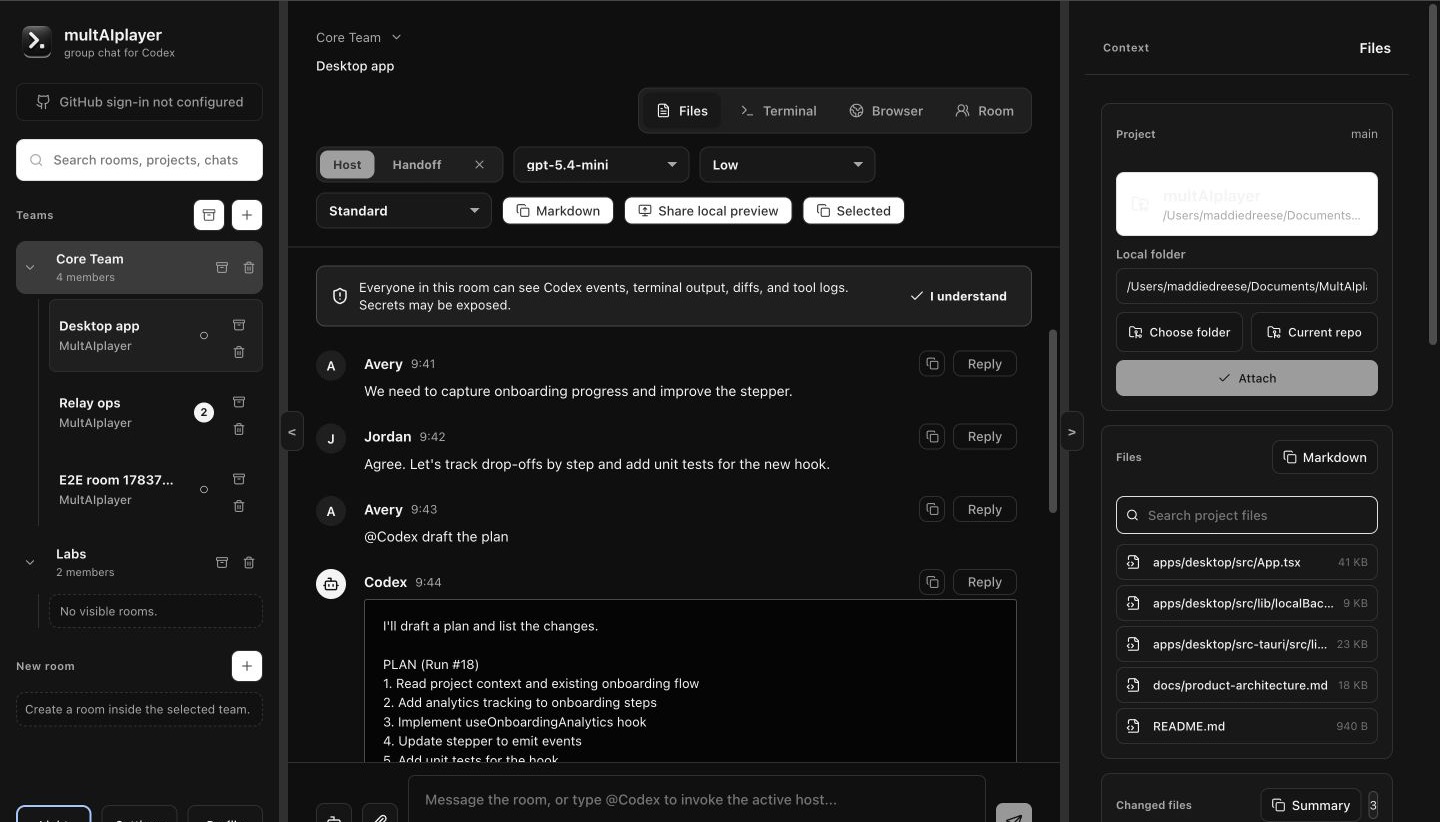
multAIplayer keeps the people and the agent in the same loop—without turning your local machine into an invisible shared service.
Chat, project files, diffs, terminals, browser previews, Git, and Codex activity stay together in one project room.
Anyone can propose a turn. The active host sees the exact context and approves execution on their machine.
Hand off hosting when someone leaves or reaches a usage limit. The next host uses their own machine and Codex access.
Review changes, create a branch, commit, push, open a draft PR, and follow GitHub Actions without losing the room’s context.
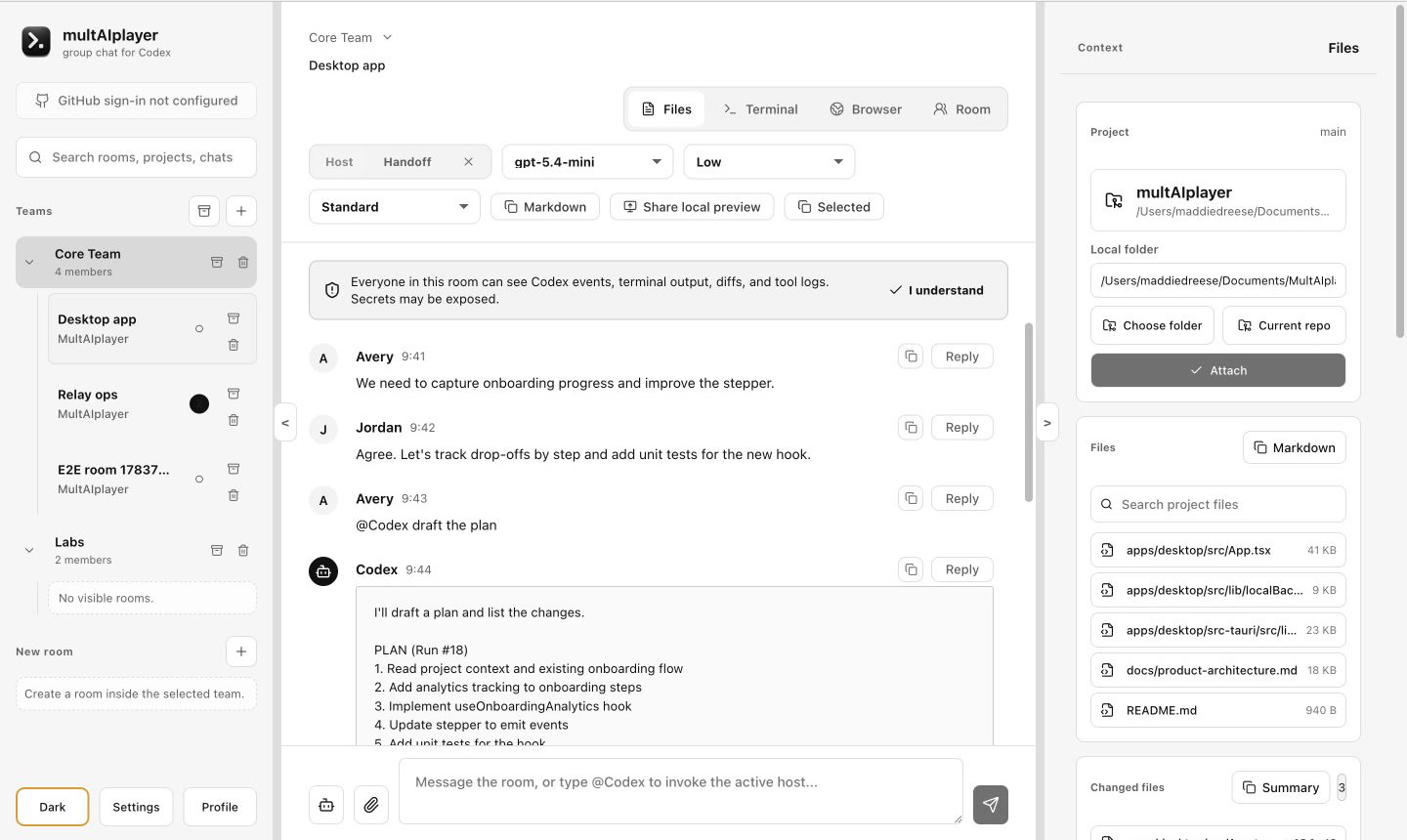
Teammates can ask, inspect, and follow along. The active host reviews what Codex will receive and decides what can touch their machine.
Room content is encrypted on devices. Powerful local capabilities remain with the host who owns the machine, project, accounts, and approvals.
Plaintext stays on participating devices
Inspect the protocol, crypto boundaries, desktop client, and relay. Self-host for your team or help shape the public alpha in the open.
$ git clone https://github.com/maddiedreese/multAIplayer.git
$ cd multAIplayer
$ docker build -f apps/relay/Dockerfile .
# Your room. Your relay. Your call.
A GitHub account is required to sign in. To host a room, you also need a ChatGPT account with Codex access and an active plan or subscription. multAIplayer uses the host’s local Codex session, so no separate OpenAI API key is required.
No. multAIplayer is an independent open-source project and is not affiliated with, endorsed by, or sponsored by OpenAI. The OpenAI and Codex names belong to OpenAI.
Yes. The multAIplayer desktop app and self-hostable relay are completely free and open source under the Apache-2.0 license. A separate paid ChatGPT plan or subscription may still be required for a host’s Codex access.
Yes. The relay is open source and can be self-hosted. The official hosted relay is provided for the easiest first run.
The first public alpha supports macOS. Additional platforms are not available yet.
Not yet. This is a public alpha. Teams should review the threat model and known limitations before using private, regulated, or high-stakes projects.
Download the macOS alpha and start a room around your next build.
Download for macOS ↗Completely free and open source · GitHub account required to sign inHosting requires a Codex account with an active subscription